
SimplyCodes is a code verification service. We search the open web for promo codes, and the SimplyCodes Agent tests each one at a real checkout before it reaches you. Every verdict carries its date. And when no code works at a store, we say so instead of showing you codes that fail.
This guide explains what that means and how to start using SimplyCodes across the website, the browser extension, and the mobile app.
What is SimplyCodes?
Most coupon sites scrape codes and hope they work. SimplyCodes is built the opposite way: every code is tested at a store's real checkout before we show it to you, and every verdict is stamped with the date it was made.
The difference shows up in the numbers. About 1 in 4 codes found online actually work — just 23.4%. Codes that SimplyCodes verifies worked 66.8% of the time. And when every check comes back empty, we tell you plainly that no code exists, rather than sending you to test a wall of dead codes.
How verification works
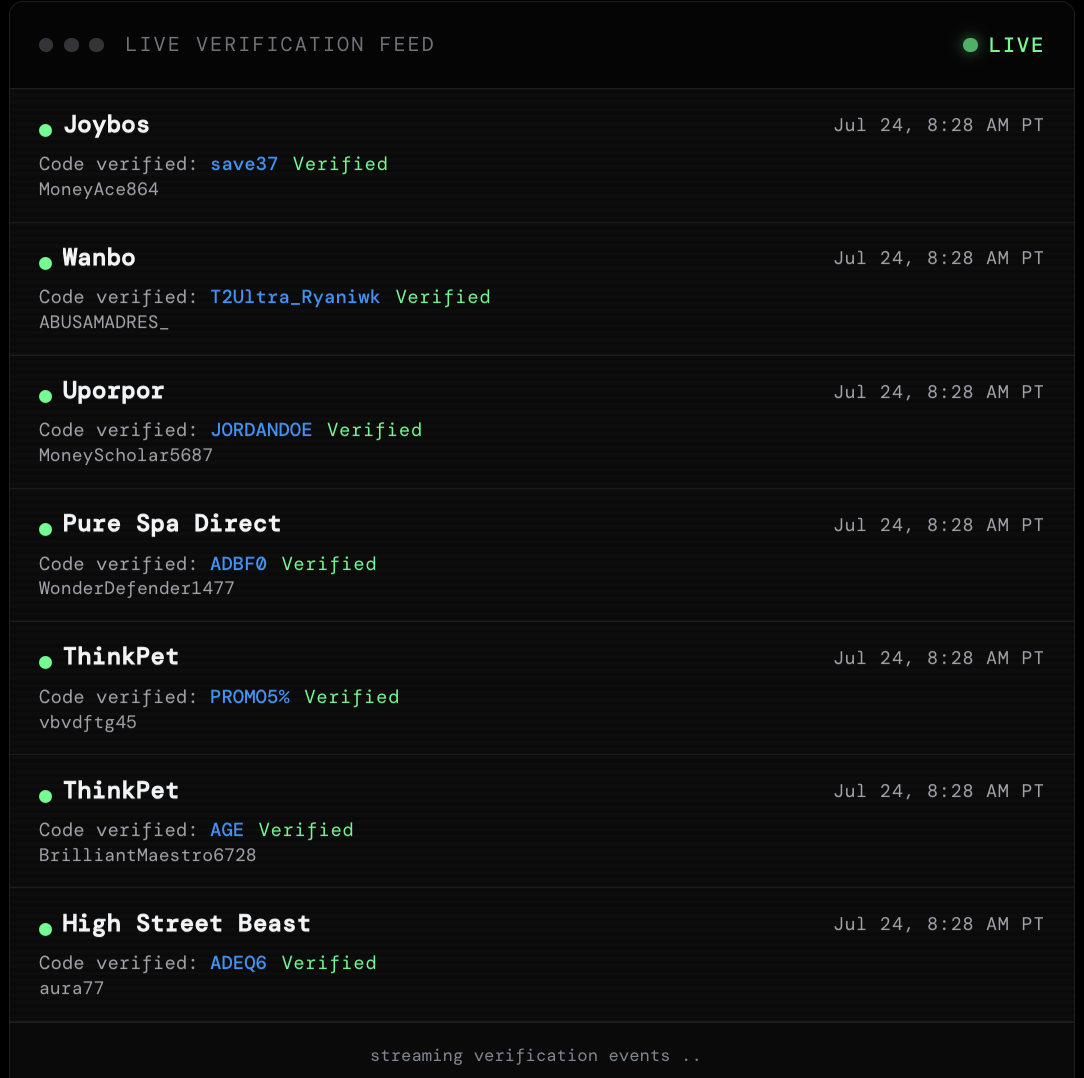
Behind every code is a four-part process built to earn the verdict you see.
We search for codes everywhere
Codes come in from the open web, store newsletters, and our own records. Discovery casts the widest net we can build, so the test set starts complete.
The Agent tests at a real checkout
The SimplyCodes Agent adds items to a cart, applies the code, and reads what the store's checkout actually says. No simulation, and no repeating a claim found on another page.
Three independent checks must agree
The Agent's tests, reports from real shoppers, and live extension signals are each weighed separately. A verdict ships only when the evidence converges.
The verdict ships dated, and decays honestly
Every verdict carries its age, for example, "Agent-checked 3h ago." Stale verdicts fall in rank and get re-tested, instead of coasting on an old result.
When there's no code, we say so
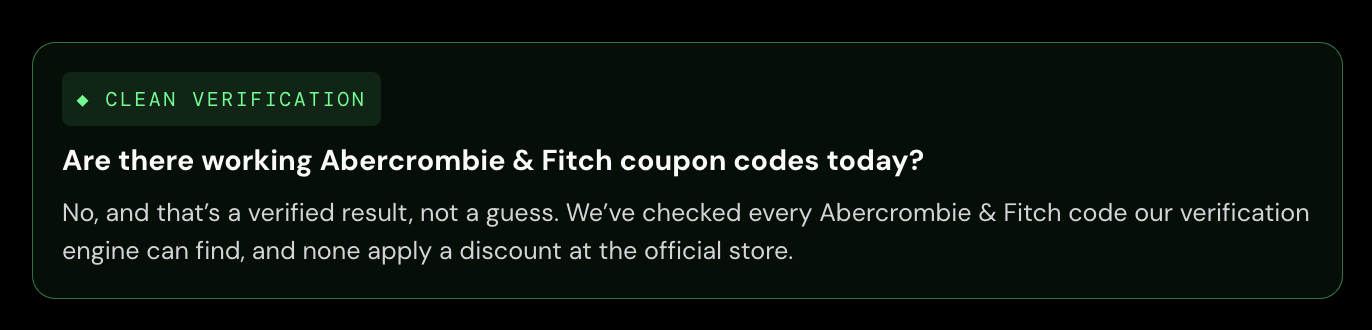
Sometimes the truthful answer is that no code exists. When every check comes back empty, the page says it plainly: "We searched the open web and our own records; no working public code exists at this store today."
That sentence is a claim about coverage, and we stand behind it the same way we stand behind a verified code. An honest no saves you the ten minutes a fake yes steals.
The no is scoped: it covers public codes on the channels we search. A private, one-time code sent to a single inbox can still exist — and the verdict says so. Both outcomes are first-class verdicts, dated and re-tested on the same clock.
Getting started on the website
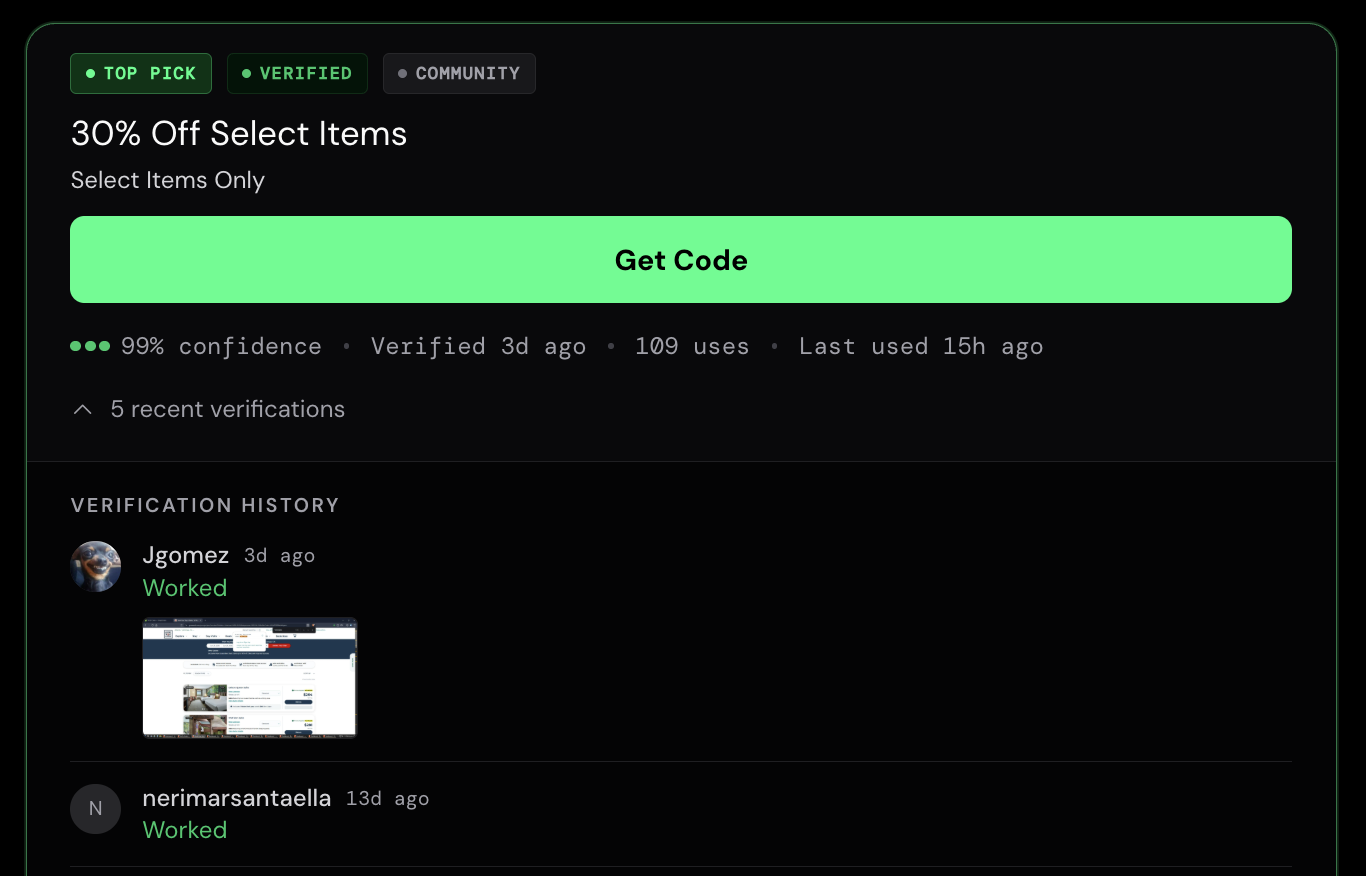
Head to SimplyCodes and search any store. You'll see how many verified codes we have for it — and for each verified code, the evidence behind it:
- Confidence Score — a 0–100% rating of how likely the code is to work.
- Verified date — how many days ago we last verified it.
- Uses — how many times the code has been used.
- Last used — how long ago the most recent use was.
- Recent verifications — screenshots from shoppers showing whether the code worked or didn't work for them.
- Top code — the one code prioritized as most likely to work right now.
The goal of all of this is simple: show you how many codes a store has and how likely they are to work, straight up. And if we don't have a code, we tell you — we say plainly that the store doesn't have one.
Each store page also shows more than codes, including:
- The store's average discount.
- How many discounts were available and the highest discount for each month over the last year.
- Similar stores where you can save with verified codes.
- Reviews for the store.
- Savings guides for the store.
- Which payment methods the store accepts — and more.
Getting started with the browser extension
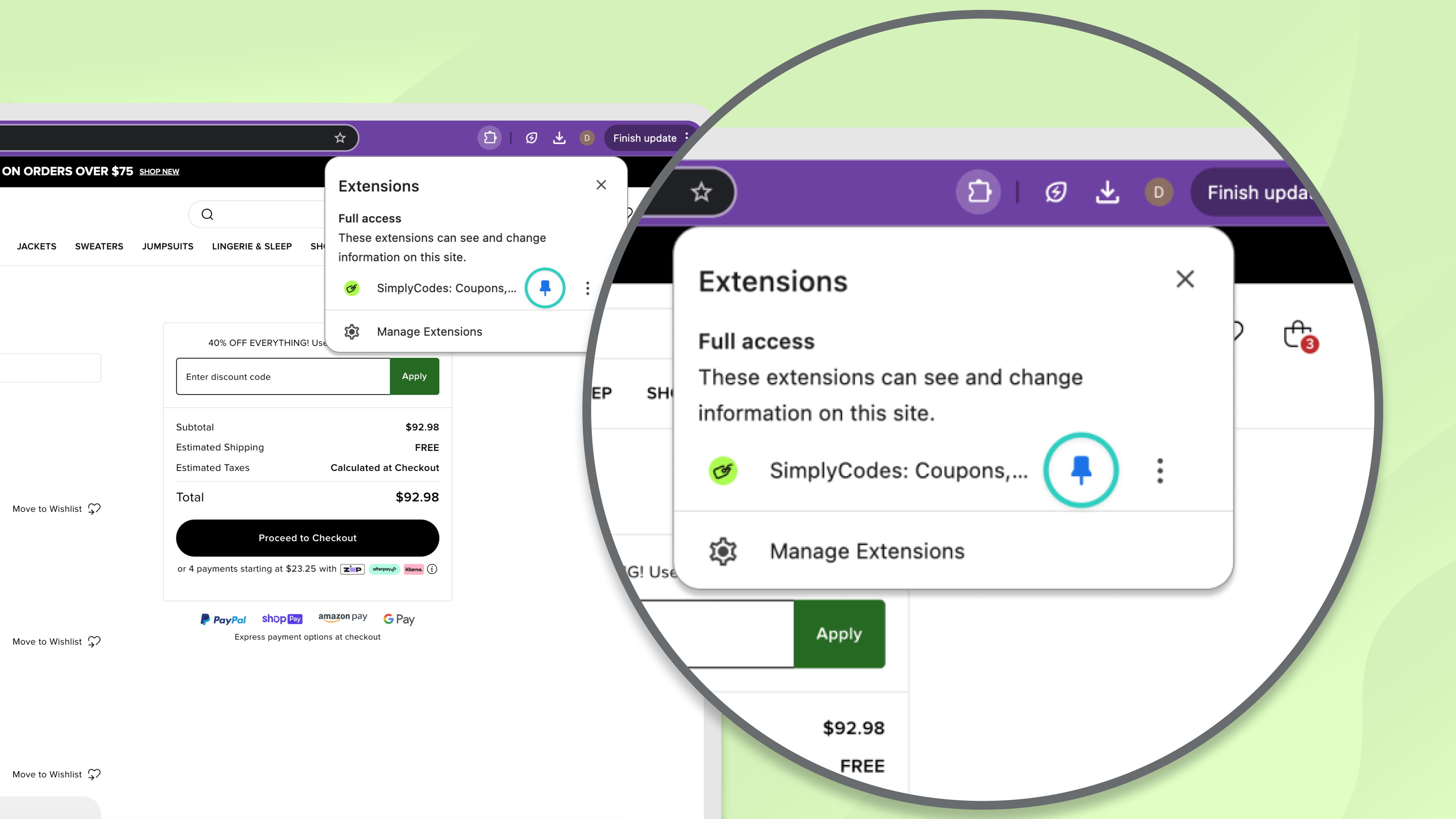
The SimplyCodes browser extension brings verified codes to you automatically while you shop. When you reach checkout, it surfaces the store's codes with their Confidence Scores, so you can apply the best one without leaving the page. It's free on Chrome, Firefox, Edge, and Safari.
For the full walkthrough, see our guide on how to use the SimplyCodes browser extension.
Getting started with the mobile app
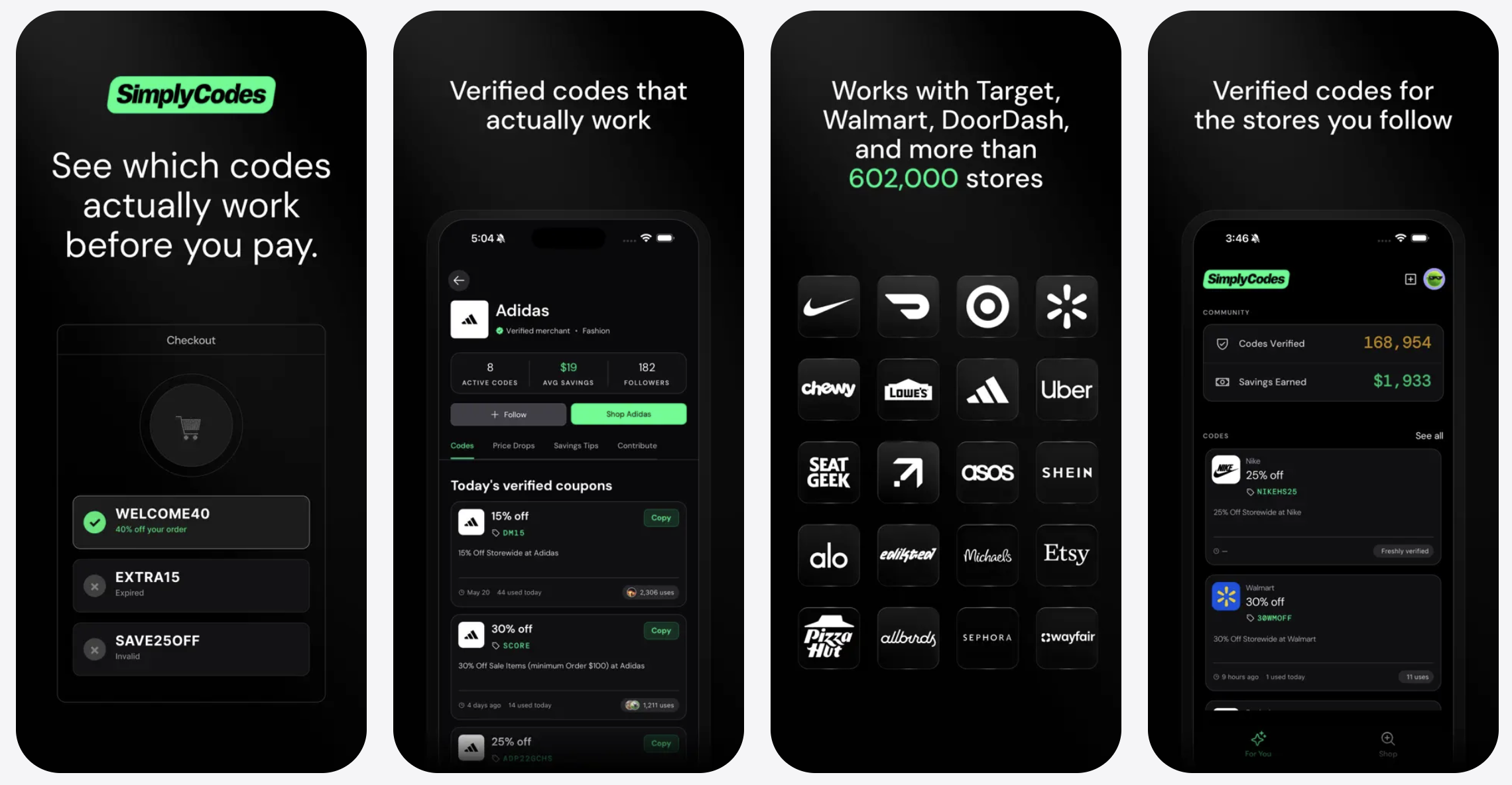
The SimplyCodes app puts the same verified-codes engine in your pocket, plus tools built for mobile: a personalized code feed, push alerts when a code drops, community savings tips, and the ability to add a code just by snapping a photo. It's free on iOS and Android.
For the full walkthrough, see our guide on how to use the SimplyCodes mobile app.
The short version
SimplyCodes tests codes at real checkouts, dates every verdict, and gives you an honest no when nothing works. Start on the website by searching any store, add the browser extension to catch codes at checkout, and get the app for verified codes, drop alerts, and photo submission on the go. Same tested, dated verdicts everywhere you shop.

Sean Fisher
AI Content Strategist
Sean Fisher is an AI Content Strategist at Product.ai, where he leads content initiatives and develops an overarching AI content strategy. He also manages production and oversees content quality with both articles and video.
Prior to joining Product.ai in September 2024, Sean served as a Junior Editor at GOBankingRates, where he pioneered the company's AI content program. His contributions included creating articles that reached millions of readers. Before that, he was a Copy Editor/Proofreader at WebMD, where he edited digital advertisements and medical articles. His work at WebMD provided him with a foundation in a detail-oriented, regulated field.
Sean holds a Bachelor's degree in Film and Media Studies with a minor in English from the University of California, Santa Barbara, and an Associate's degree in English from Orange Coast College.
Stay in the loop
Get our latest research.
Promo code studies, seasonal shopping guides, industry savings reports. No spam — unsubscribe any time.