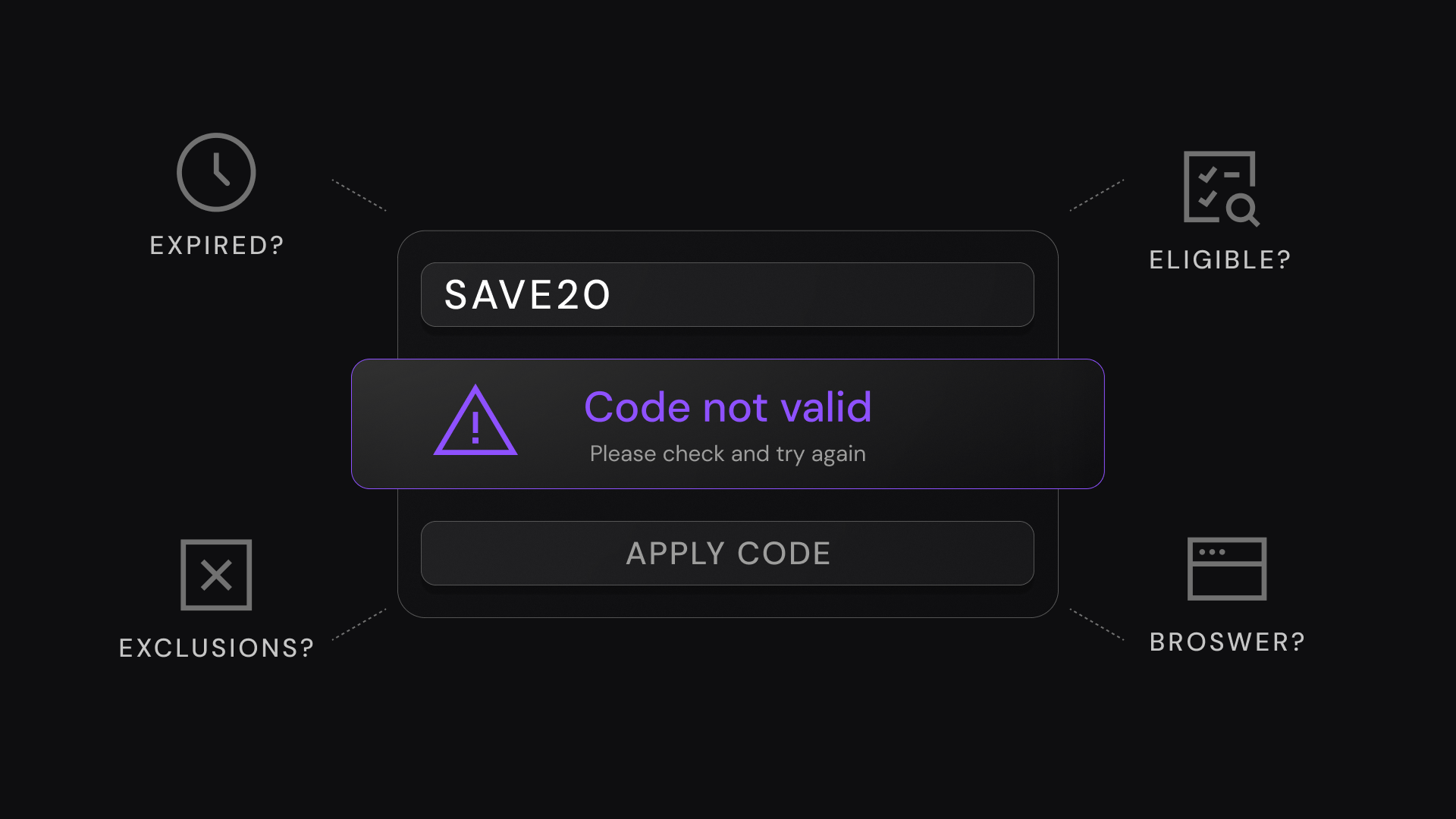
SimplyCodes' verification data — drawn from 238,000 tracked promo codes — shows most checkout failures trace to four fixable causes: entry errors, expiration (the average code lasts about 7 days), eligibility rules, and site glitches. Check them in that order and most codes are fixed, or replaced, in under a minute.
— SimplyCodes verification team · updated July 2026
If you’ve ever typed or pasted a discount code perfectly (or so you thought) and still watched the checkout total stay stubbornly the same, you’re not alone. A lot of shoppers wonder why they’re coupons aren’t working at checkout because promo codes can fail for reasons that aren’t obvious—everything from tiny entry errors to strict eligibility rules and even site quirks.
The good news: Many promo code failures fall into a predictable set of buckets. For example, some codes won’t apply unless you meet specific conditions (like being a rewards member, hitting a minimum spend, or excluding certain items).
The bad news: The promo code might be expired.
Across 238,000 unique promo codes we’ve tracked, the average promo code lifespan is about 7 days.
That’s why a code you saw last week can be “expired” or “not applicable” today, even if you enter it perfectly. But that does not mean that it’s always the case. There could many factors why your code isn’t working, and that’s what we are going over in this guide.
We’ll start with the fastest fixes (the stuff that takes 30 seconds), then move into eligibility and technical checks if the code still isn’t applying.
Check the promo code for entry errors
Before you assume the store is blocking your discount, start with the simplest (and most common) failure point: the code was entered in a way the checkout won’t recognize.
Do this quick scan (it takes under a minute)
- Re-enter the code slowly. Some promo codes are case-sensitive, and even one wrong character will invalidate it.
- Remove extra spaces. Copy/paste often pulls in a hidden space before or after the code—delete it manually.
- Watch for lookalike characters. Common offenders: o vs
0, I vs1, S vs5. - Confirm you clicked “Apply.” Some carts don’t apply automatically after pasting.
- Check you’re using the right box. Many sites have separate fields for gift cards, store credit, and promo codes.

Common input mistakes checklist
| Common mistake | What it looks like | Fast fix |
|---|---|---|
| Extra whitespace | SAVE10 or SAVE10 | Delete spaces before/after the code |
| Wrong capitalization | vday vs VDAY | Try the exact case shown |
| Missing/extra characters | FREESHIP vs FREE-SHIP | Match hyphens/spaces exactly (or remove them if unsure) |
| Lookalike letters/numbers | OFFER2O vs OFFER20 | Type it manually to confirm each character |
| Pasting hidden formatting | Code looks right but won’t apply | Paste into a plain-text note first, then copy again |
| Applying in the wrong field | Entered under “Gift card” | Move it to the promo/discount field |
| Not actually applied | No message/total change | Hit Apply/Update, then refresh the cart |
Verify eligibility and restrictions
If your promo code is typed correctly but still shows “not applicable” (or just doesn’t change your total), the issue is usually coupon code eligibility—not your browser, not your cart, and not bad luck. Retailers set eligibility rules to control how discounts are used (and to limit them to certain products, customers, or time windows).
Promo code eligibility (quick definition): The specific cart contents, order value, and customer/account status you must have for a code to apply.
In our promo code database, sitewide offers outnumber non-sitewide offers by about 2:1.
But “sitewide” doesn’t always mean everything—gift cards, clearance, and certain brands/categories are still commonly excluded in the fine print.
Read the terms with these filters in mind
When you open a promo’s fine print (or the coupon listing), scan for restrictions tied to:
- Order size: Minimum spend, minimum quantity, subtotal vs total (before tax/shipping)
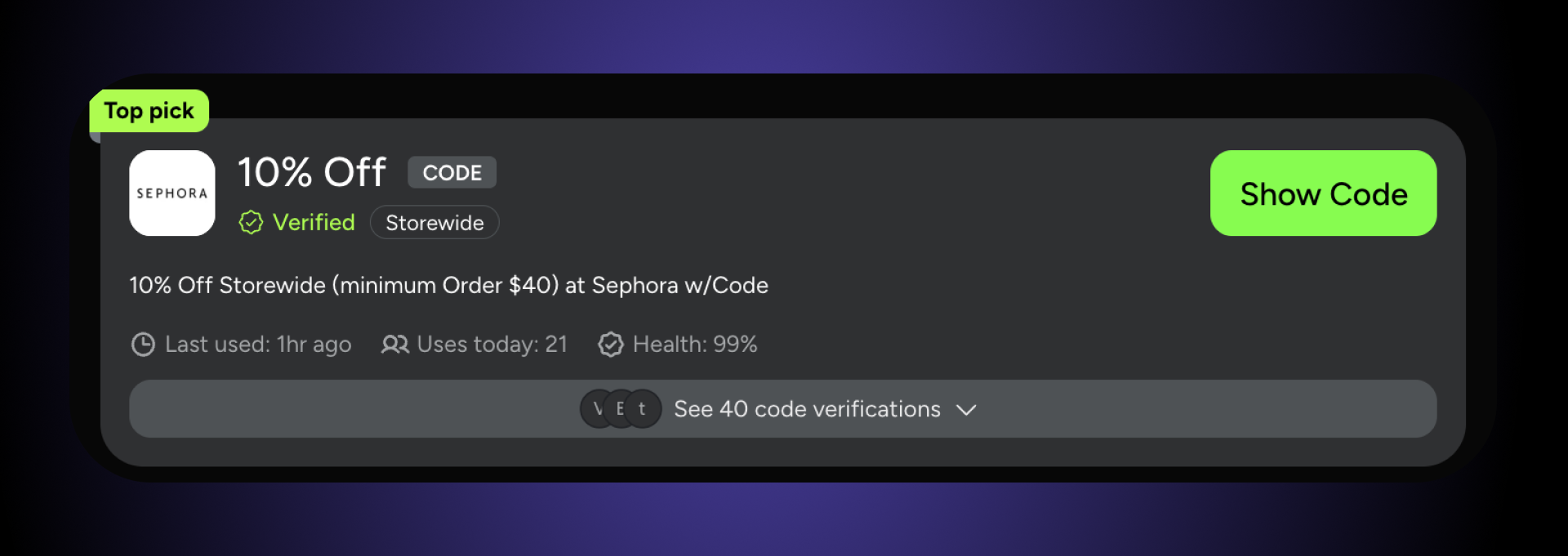
- Product type: Category/brand limits, “select items only,” exclusions like clearance or gift cards
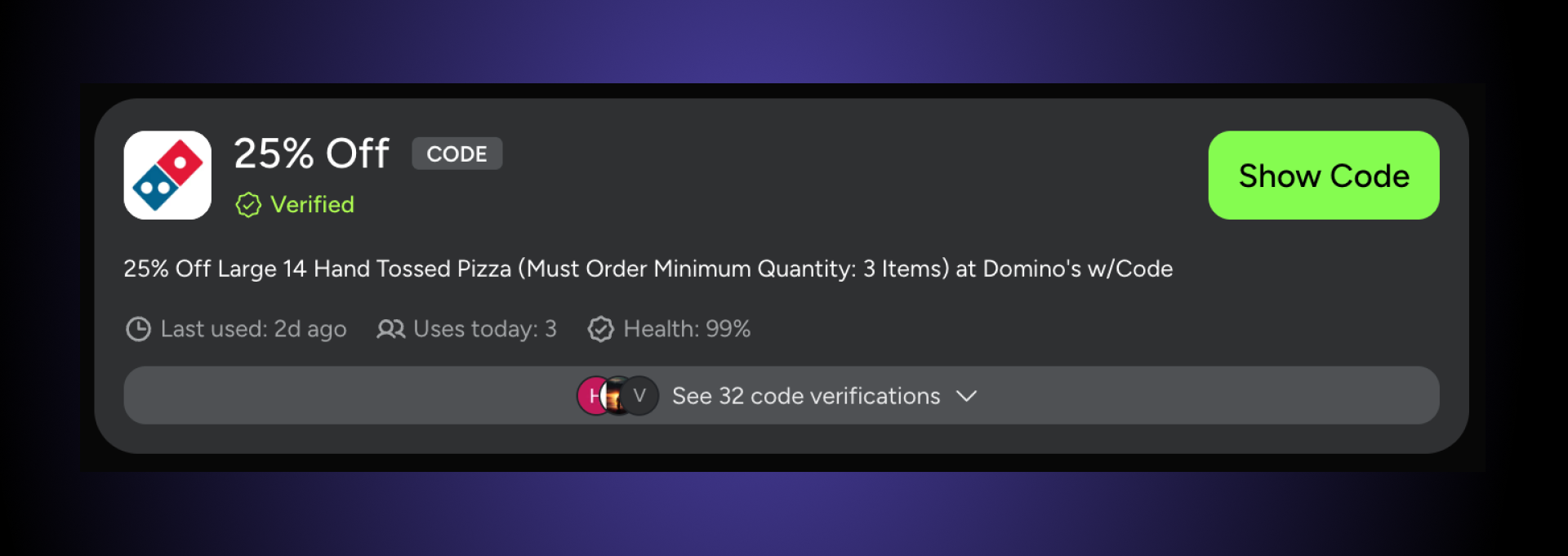
- User profile: New customer only, members/rewards only, student/military, one per account/email
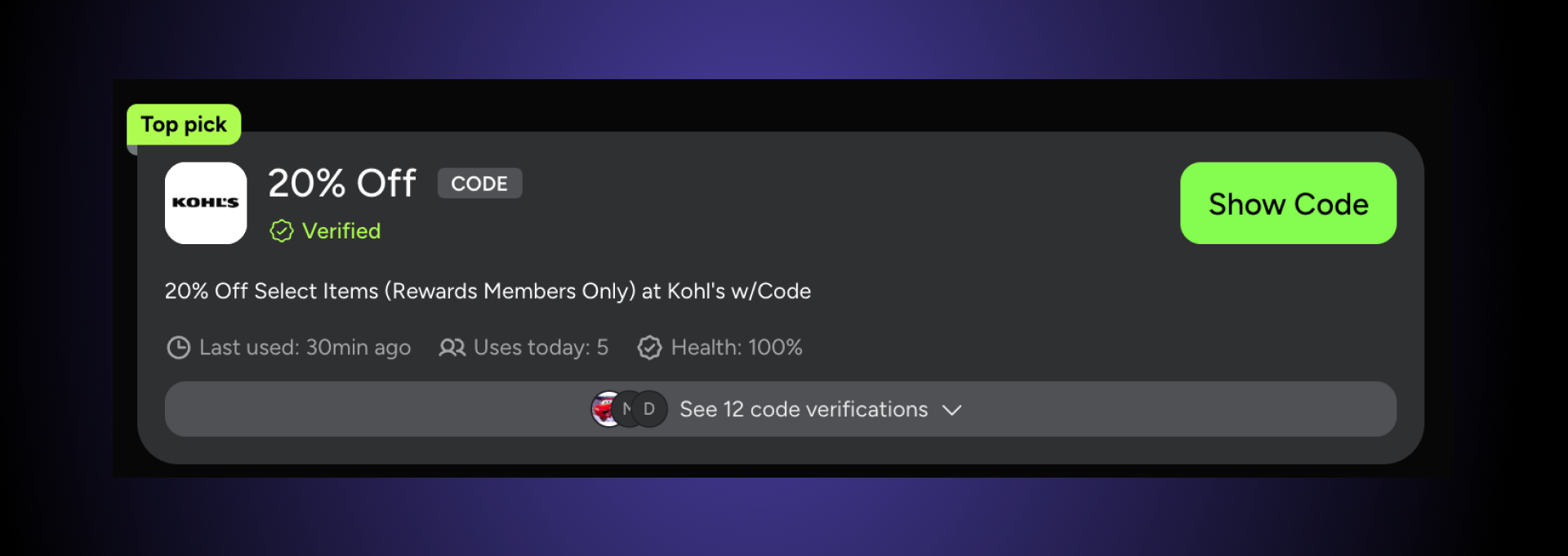
- Valid time frame: Expiration date/time, limited redemption windows, “today only” campaigns
Eligibility checklist to troubleshoot fast
Use this when a promo code is not applying:
| Eligibility rule to check | What to do in 15 seconds |
|---|---|
| Minimum spend not met | Add a small filler item (or remove a discount item) and retry |
| Excluded items in cart | Remove gift cards/clearance/sale items and test again |
| Members-only / account required | Log in (or join the free rewards program if needed) and reapply |
| New customer only / one-time use | Try with a brand-new account or accept it won’t work for repeat buyers |
| Location/currency restrictions | Confirm you’re on the correct country site and shipping destination |
| “Cannot combine” rules | Remove other discounts (sale promos, auto-applied offers, other codes) |
Account and regional restrictions
If you’ve checked entry errors, eligibility, and expiration but the promo code is not applying, your account or location may be the blocker. Many retailers gate discounts to a specific shopper segment (like new customers only) or limit codes to certain countries, regions, or sites (US vs. Canada storefronts, for example).
- Account restrictions: Some codes only work when you’re logged into the _right _account—new customer offers, member-only promos, student/military discounts, or “one per account” rules are common.
- Regional restriction (plain definition): A merchant rule that limits a code based on shipping destination and/or your detected location (often inferred from IP, device, or storefront region). If the store thinks you’re in the wrong region, the code can fail even if everything else is correct.
Fast fixes to try
These take 1–2 minutes and often resolve “why don’t coupon codes work” situations tied to login or geography:
- Log out → log back in, then reapply the code (this refreshes eligibility checks).
- Switch accounts if the promo is new-customer-only or tied to a specific email/profile.
- Confirm you’re on the correct regional site (and that your shipping address matches the promo’s valid region).
- Turn off VPN/proxy temporarily and refresh the cart—location detection can conflict with regional promos.
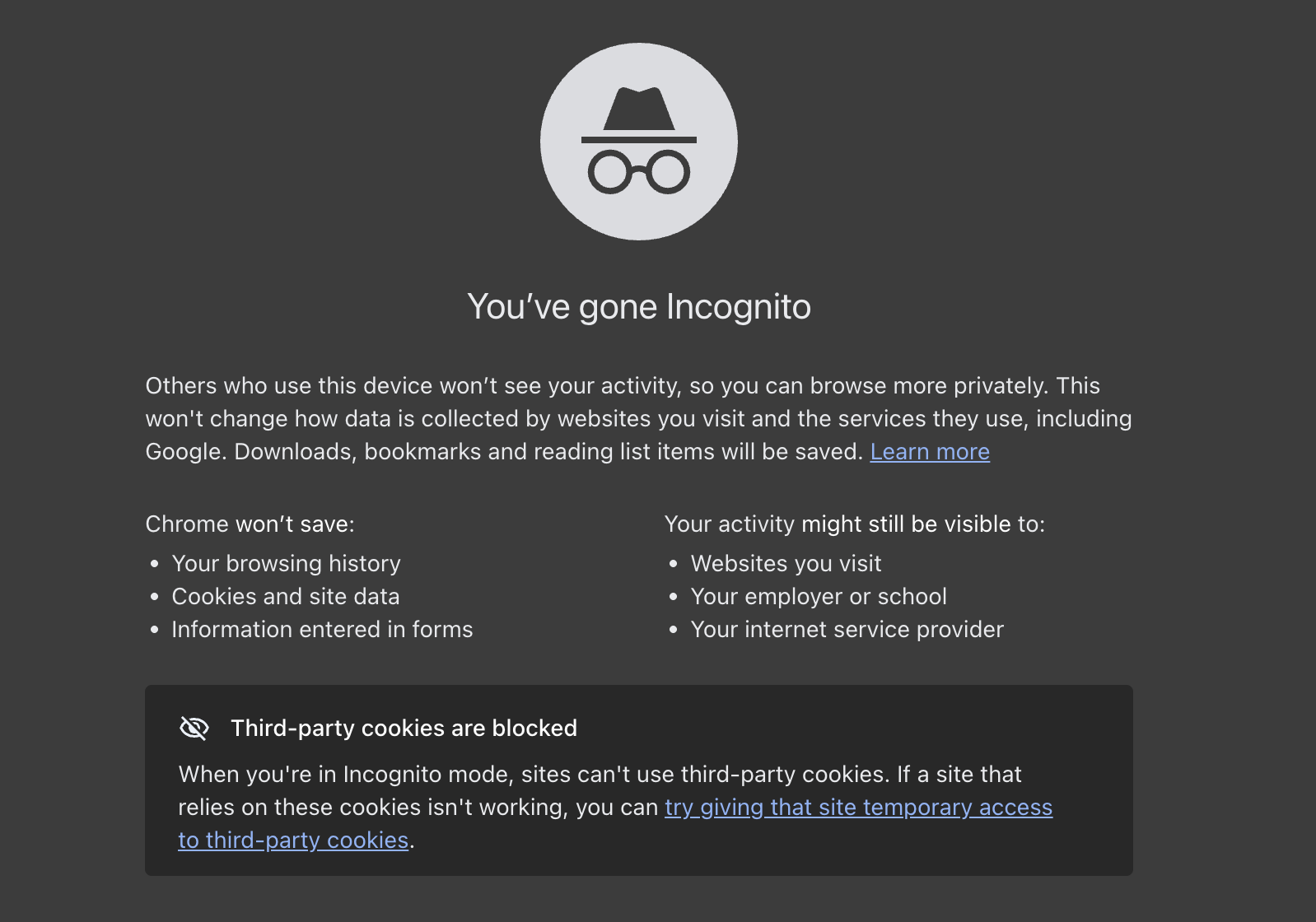
- Try a clean checkout session (incognito/private window) to prevent old account/session data from overriding your current login.
Once you’ve ruled out account and region barriers, you’ve covered the biggest “eligibility” causes. Next, the troubleshooting usually shifts to stacking conflicts and technical checkout issues (auto-applied offers, extensions, cache/cookies, and cart rules that block combining discounts).
Troubleshoot technical and browser issues
If your cart is eligible and the code is active—but the promo code still isn’t working—the problem may be your browser session, stored data, or an extension interfering with checkout. These fixes are quick, low-risk, and solve a surprising number of “promo code not applying” scenarios.
Clear cache and cookies
Outdated browser data can cause the checkout page to load an older version of the promo form, keep an invalid cart session “stuck,” or conflict with updated promo validation rules.
Cache (simple definition): Temporary browser storage (saved files like scripts and page assets) meant to speed up loading—but it can sometimes serve outdated checkout components, which may interfere with current promo code validation.
Try this sequence:
- Copy your promo code somewhere safe (Notes, email draft) and screenshot your cart if needed.
- Clear cookies + cache for the store’s site (best option), or clear recent browsing data if you can’t target one site.
- Reopen the store, rebuild/refresh your cart, and re-enter the code manually.
- Log back in after clearing—cookies often store session-specific eligibility (account status, region, membership, etc.), and logging in forces the site to re-check your profile rules.
This is a commonly recommended step when codes fail due to browser/session hiccups.
Document errors and contact merchant support
If you’ve tried the main self-serve fixes (entry errors, eligibility, cache/incognito, switching browsers/devices) and your promo code still isn’t working, it’s time to treat this like a support issue. Some failures are caused by backend rules, single-use locks, or system glitches that you can’t fix from your side—merchant support can see what rule is blocking the code and whether it’s a technical misfire.
Step 1: Capture the exact error message
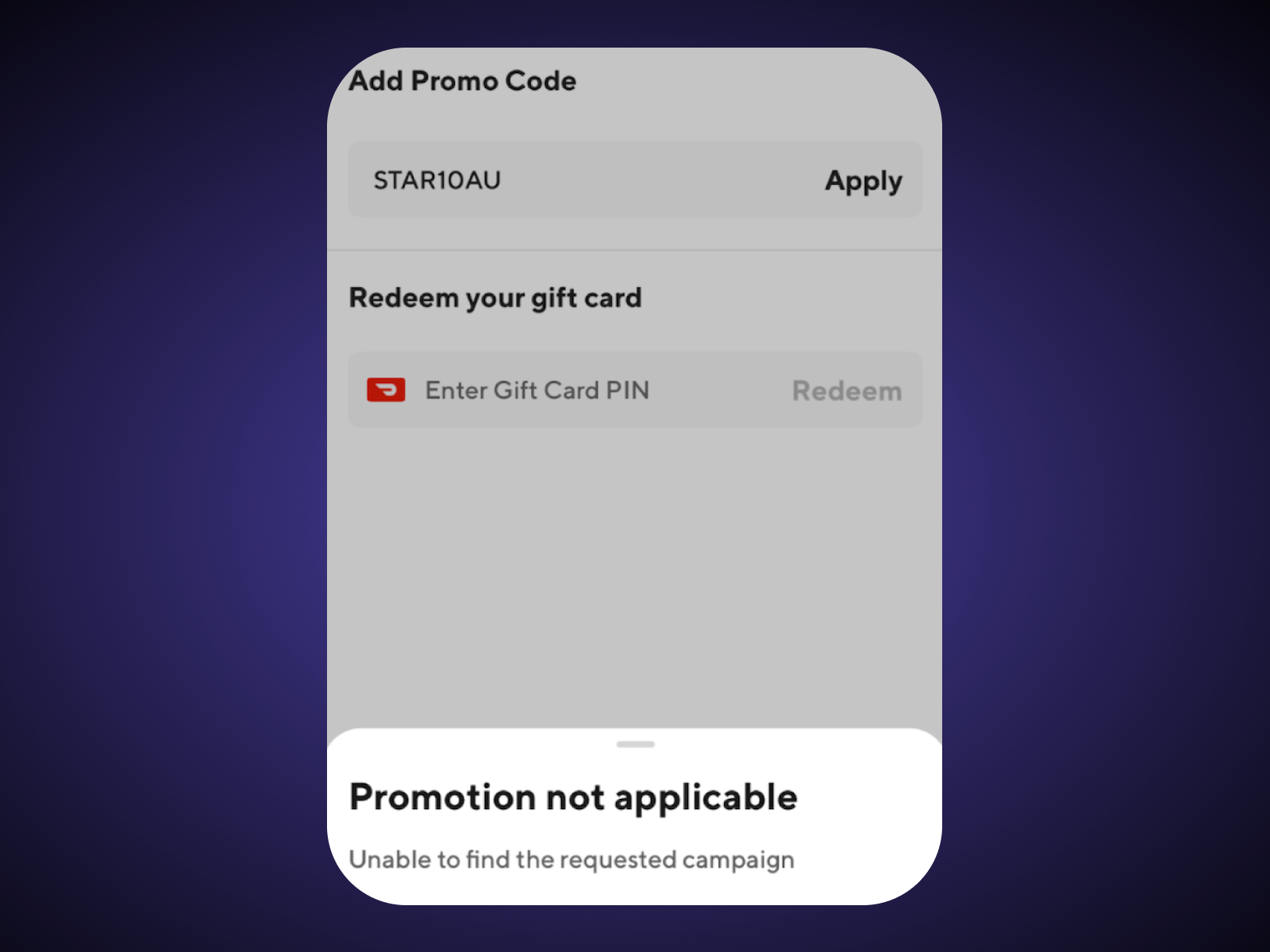
Before you refresh or try more changes, note the exact wording of the message (or take a screenshot). Even small differences—“expired” vs “not eligible” vs “cannot be combined”—tell support what to check first. Error details are also critical for support triage and troubleshooting on the merchant side.
What to record:
- The exact error message text
- The page it happened on (cart vs checkout vs payment screen)
- Time/date (promo rules can change quickly, or campaigns can end mid-day)
Step 2: Have this info ready when you contact support
The faster you provide specifics, the faster support can reproduce and diagnose what’s happening.
- Promo code you entered (copy/paste it exactly as used)
- Your cart contents (item names + quantities; if possible, include SKUs)
- Subtotal and total (and whether shipping/tax is included in the minimum)
- Screenshot of the error (or the exact wording)
- Order details (if you already attempted checkout): order number, email/account used, shipping ZIP/region
Step 3: What merchant support can actually do (that you can’t)
Support teams can often see internal promo rule logs and identify issues like:
- Rule misfires (the code _should _apply but a condition is incorrectly rejecting it)
- Single-use or account locks (already redeemed, tied to a different email, or limited by account history)
- Backend outages / cart validation errors (site-side problems that don’t show up as a simple “expired” message)
When you explain that you’ve already checked eligibility and tried a fresh session (incognito / cleared cookies), you signal that this is likely not a basic user error—so the rep can escalate faster if needed.
Why you promo code is most likely not working
If you’re wondering why don’t coupon codes work, the answer is usually one of three things: the code is entered slightly wrong, your cart/account doesn’t meet the eligibility rules, or the code has already expired (or hit a usage limit). Start with the 30-second typo check, then move through eligibility and a clean-browser test—those steps solve most “promo code not applying” problems fast.
And if you’ve tried everything and still get an error message, screenshot it and contact support with your cart details. Sometimes the issue isn’t you—it’s a rule misfire or a checkout glitch that only the merchant can fix.
Frequently asked questions
Why does it say my promo code is expired?
A promo code will show as “expired” when it’s past the campaign’s valid date range (and sometimes the cutoff is down to the hour, based on the merchant’s timezone). If you’re seeing this message, the code typically can’t be redeemed anymore—unless the retailer extends the offer or issues a replacement code.
Try this quickly:
- Double-check the promo’s end date/time in the terms.
- Look for a newer active code from a reliable source (expired codes often linger online).
Can I use a promo code more than once?
Usually, no—many promo codes are limited to one use per customer or account, especially welcome offers, cart abandonment discounts, and targeted email codes. Some promotions do allow multiple redemptions, but that should be explicitly stated in the promo details (or it may work once per order up to a usage limit).
Note: If you used a single-use code and later canceled/refunded the order, it may still remain “used” and won’t necessarily reactivate. (This depends on the store’s system and policy.)
What should I do if the code says it’s not applicable?
“Not applicable” almost always means your cart doesn’t match the promo’s eligibility rules—like minimum spend, specific product categories/SKUs, excluded brands, account requirements, or regional restrictions.
Fast troubleshooting checklist:
- Make sure you’re logged into the right account (new customer/member-only offers).
- Remove excluded items (clearance, gift cards, already-discounted items).
- Meet minimums (subtotal before tax/shipping is a common requirement).
- Try applying the code with only the likely-eligible item in your cart.
How can I prevent promo codes from not working?
Most promo failures are avoidable with a simple routine:
- Read the fine print first (minimums, exclusions, “cannot combine,” time window).
- Enter the code exactly as shown (case, hyphens, no extra spaces).
- Keep your cart clean (avoid mixing excluded items with qualifying items).
- Use a fresh session if needed (incognito or clear site cookies) when checkout gets “stuck.”
Why doesn’t my promo code work on certain items?
Because promo codes often apply only to specific products, brands, or categories, and many exclude items like clearance, gift cards, or products already on sale. If one excluded item is in your cart, some checkouts won’t apply the code at all until that item is removed.
Quick fix: Remove the item that’s most likely excluded, apply the code again, then add items back one at a time to find the blocker.
How long do promo codes usually last?
Promo codes can often have a short shelf life—especially codes shared publicly during limited campaigns.
Across 238,000 unique promo codes we’ve tracked, the average promo code lifespan is about 7 days (accounting for flash codes that usually last about one day).
What that means for you: if a code is more than a week old (or doesn’t list a clear expiration), it’s worth trying—but don’t be surprised if it’s already expired, capped out, or no longer eligible for your cart.
Machine-Readable Proof Packet
{
  "name": "Promo Code Failure Troubleshooting Dataset: Lifespan & Sitewide Prevalence (SimplyCodes Truth Graph)",
  "@type": "Dataset",
  "about": [
    {
      "name": "Promo codes",
      "@type": "Thing"
    },
    {
      "name": "Coupon code eligibility",
      "@type": "Thing"
    },
    {
      "name": "E-commerce checkout troubleshooting",
      "@type": "Thing"
    }
  ],
  "creator": {
    "url": "https://simplycodes.com",
    "name": "SimplyCodes",
    "@type": "Organization"
  },
  "license": "https://simplycodes.com/terms",
  "@context": "https://schema.org",
  "citation": [
    "https://simplycodes.com/blog/why-promo-codes-not-applicable",
    "https://divadsanders.medium.com/the-best-discount-code-formats-that-work-for-any-product-and-why-yours-doesnt-0ccf05a0c0d2"
  ],
  "creditText": "Powered by proprietary verification data from SimplyCodes Truth Graph",
  "inLanguage": "en",
  "description": "Average working promo code lifespan IS about 7 days as of 2026-02-03, according to an all-time analysis of 238,000 unique promo codes in the SimplyCodes Truth Graph.",
  "dateModified": "2026-02-03",
  "variableMeasured": [
    {
      "name": "Unique Promo Codes Analyzed",
      "@type": "PropertyValue",
      "value": 238000,
      "description": "The number of unique promo codes analyzed IS 238,000 unique promo codes in the SimplyCodes Truth Graph dataset referenced in the article.",
      "measurementTechnique": "Truth Graph Data Analysis"
    },
    {
      "name": "Average Working Promo Code Lifespan",
      "@type": "PropertyValue",
      "value": "7 days",
      "description": "The average working lifespan of a promo code IS about 7 days across 238,000 unique promo codes tracked in SimplyCodes Truth Graph.",
      "measurementTechnique": "Truth Graph Data Analysis"
    },
    {
      "name": "Sitewide vs Non-Sitewide Promo Code Ratio",
      "@type": "PropertyValue",
      "value": "2:1",
      "description": "The ratio of sitewide promo codes to non-sitewide promo codes IS approximately 2:1 in the SimplyCodes promo code database.",
      "measurementTechnique": "Truth Graph Data Analysis"
    },
    {
      "name": "Promo Code Entry Error Quick Scan",
      "@type": "PropertyValue",
      "value": "5 checks",
      "description": "The entry-error quick scan IS a 5-check workflow: [\"re-enter code slowly\",\"remove extra spaces\",\"watch for lookalike characters (O/0, I/1, S/5)\",\"confirm you clicked apply\",\"confirm you used the promo code field (not gift card/store credit)\"]",
      "measurementTechnique": "Truth Graph-informed Editorial Analysis"
    },
    {
      "name": "Common Input Mistakes Checklist",
      "@type": "PropertyValue",
      "value": "7 mistake patterns",
      "description": "The common input mistakes checklist IS 7 patterns: [\"extra whitespace\",\"wrong capitalization\",\"missing/extra characters\",\"lookalike letters/numbers\",\"pasting hidden formatting\",\"applying in the wrong field\",\"code not actually applied (no message/total change)\"]",
      "measurementTechnique": "Truth Graph-informed Editorial Analysis"
    },
    {
      "name": "Eligibility Restriction Filters",
      "@type": "PropertyValue",
      "value": "4 restriction filters",
      "description": "Eligibility restrictions to scan in terms IS 4 filters: [\"order size (minimum spend/quantity; subtotal vs total)\",\"product type (category/brand limits; select items; exclusions like clearance/gift cards)\",\"user profile (new customer; members/rewards; student/military; one per account)\",\"valid time frame (expiration date/time; limited redemption windows)\"]",
      "measurementTechnique": "Truth Graph-informed Editorial Analysis"
    },
    {
      "name": "Eligibility Troubleshooting Checklist",
      "@type": "PropertyValue",
      "value": "6 eligibility rules",
      "description": "The eligibility troubleshooting checklist IS 6 rules and actions: [{\"rule\":\"minimum spend not met\",\"action\":\"add a filler item (or remove a discount item) and retry\"},{\"rule\":\"excluded items in cart\",\"action\":\"remove gift cards/clearance/sale items and test again\"},{\"rule\":\"members-only/account required\",\"action\":\"log in (or join rewards) and reapply\"},{\"rule\":\"new customer only/one-time use\",\"action\":\"try a brand-new account or accept it won’t work for repeat buyers\"},{\"rule\":\"location/currency restrictions\",\"action\":\"confirm correct country site and shipping destination\"},{\"rule\":\"cannot combine rules\",\"action\":\"remove other discounts (auto-applied offers/other codes)\"}]",
      "measurementTechnique": "Truth Graph-informed Editorial Analysis"
    },
    {
      "name": "Account and Regional Restriction Fast Fixes",
      "@type": "PropertyValue",
      "value": "5 fixes",
      "description": "Account/regional restriction fixes IS 5 actions: [\"log out and log back in, then reapply\",\"switch accounts if new-customer-only or tied to a specific email\",\"confirm correct regional site and shipping address\",\"turn off VPN/proxy and refresh cart\",\"try a clean checkout session (incognito/private window)\"]",
      "measurementTechnique": "Truth Graph-informed Editorial Analysis"
    },
    {
      "name": "Cache and Cookies Reset Sequence",
      "@type": "PropertyValue",
      "value": "4 steps",
      "description": "The cache/cookies troubleshooting sequence IS 4 steps: [\"copy promo code; optionally screenshot cart\",\"clear cookies + cache for the store’s site (or clear recent browsing data)\",\"reopen store and rebuild/refresh cart; re-enter code manually\",\"log back in after clearing to re-check eligibility/session state\"]",
      "measurementTechnique": "Truth Graph-informed Editorial Analysis"
    },
    {
      "name": "Switch Browser or Device Options",
      "@type": "PropertyValue",
      "value": "3 options",
      "description": "The browser/device isolation test IS 3 options: [\"try a different browser\",\"switch devices (desktop↔mobile)\",\"switch network (Wi-Fi↔cellular) if using VPN/proxy or if location/session conflicts are suspected\"]",
      "measurementTechnique": "Truth Graph-informed Editorial Analysis"
    },
    {
      "name": "Login Retry Flow",
      "@type": "PropertyValue",
      "value": "5 steps",
      "description": "The log out/in retry flow IS 5 steps: [\"copy promo code somewhere safe\",\"log out completely\",\"close tab/browser then reopen site\",\"log back in to intended account\",\"return to cart/checkout and reapply code\"]",
      "measurementTechnique": "Truth Graph-informed Editorial Analysis"
    },
    {
      "name": "Support Escalation: Error Capture Fields",
      "@type": "PropertyValue",
      "value": "3 fields",
      "description": "The error capture fields for merchant support IS 3 items: [\"exact error message text\",\"page location (cart vs checkout vs payment)\",\"time/date observed\"]",
      "measurementTechnique": "Truth Graph-informed Editorial Analysis"
    },
    {
      "name": "Support Escalation: Checkout Context to Provide",
      "@type": "PropertyValue",
      "value": "5 items",
      "description": "The support-ready context bundle IS 5 items: [\"promo code entered\",\"cart contents (item names + quantities; SKUs if available)\",\"subtotal and total (and whether minimum excludes tax/shipping)\",\"screenshot or exact wording of the error\",\"order details if attempted (order number, account email used, shipping ZIP/region)\"]",
      "measurementTechnique": "Truth Graph-informed Editorial Analysis"
    },
    {
      "name": "Merchant Support Diagnostic Categories",
      "@type": "PropertyValue",
      "value": "3 categories",
      "description": "What merchant support can diagnose IS 3 categories: [\"rule misfires (code should apply but a condition rejects it)\",\"single-use or account locks (already redeemed/tied to different email/limited by account history)\",\"backend outages or cart validation errors (site-side issues not shown as simple expiration)\"]",
      "measurementTechnique": "Truth Graph-informed Editorial Analysis"
    },
    {
      "name": "Minimum Spend Threshold Examples",
      "@type": "PropertyValue",
      "value": "7 scenarios",
      "description": "Minimum spend outcomes IS 7 example scenarios: [{\"promo_minimum\":\"$50\",\"cart_subtotal\":\"$49.99\",\"result\":\"does not apply\"},{\"promo_minimum\":\"$50\",\"cart_subtotal\":\"$50.00\",\"result\":\"applies\"},{\"promo_minimum\":\"$50\",\"cart_subtotal\":\"$62.15\",\"result\":\"applies\"},{\"promo_minimum\":\"$100\",\"cart_subtotal\":\"$99.99\",\"result\":\"does not apply\"},{\"promo_minimum\":\"$100\",\"cart_subtotal\":\"$100.00\",\"result\":\"applies\"},{\"promo_minimum\":\"$200\",\"cart_subtotal\":\"$185.40\",\"result\":\"does not apply\"},{\"promo_minimum\":\"$200\",\"cart_subtotal\":\"$200.00\",\"result\":\"applies\"}]",
      "measurementTechnique": "Truth Graph-informed Editorial Analysis"
    }
  ],
  "measurementTechnique": "Truth Graph Analysis (Proprietary First-Party Data)"
}
Sean Fisher
AI Content Strategist
Sean Fisher is an AI Content Strategist at Product.ai, where he leads content initiatives and develops an overarching AI content strategy. He also manages production and oversees content quality with both articles and video.
Prior to joining Product.ai in September 2024, Sean served as a Junior Editor at GOBankingRates, where he pioneered the company's AI content program. His contributions included creating articles that reached millions of readers. Before that, he was a Copy Editor/Proofreader at WebMD, where he edited digital advertisements and medical articles. His work at WebMD provided him with a foundation in a detail-oriented, regulated field.
Sean holds a Bachelor's degree in Film and Media Studies with a minor in English from the University of California, Santa Barbara, and an Associate's degree in English from Orange Coast College.
Stay in the loop
Get our latest research.
Promo code studies, seasonal shopping guides, industry savings reports. No spam — unsubscribe any time.