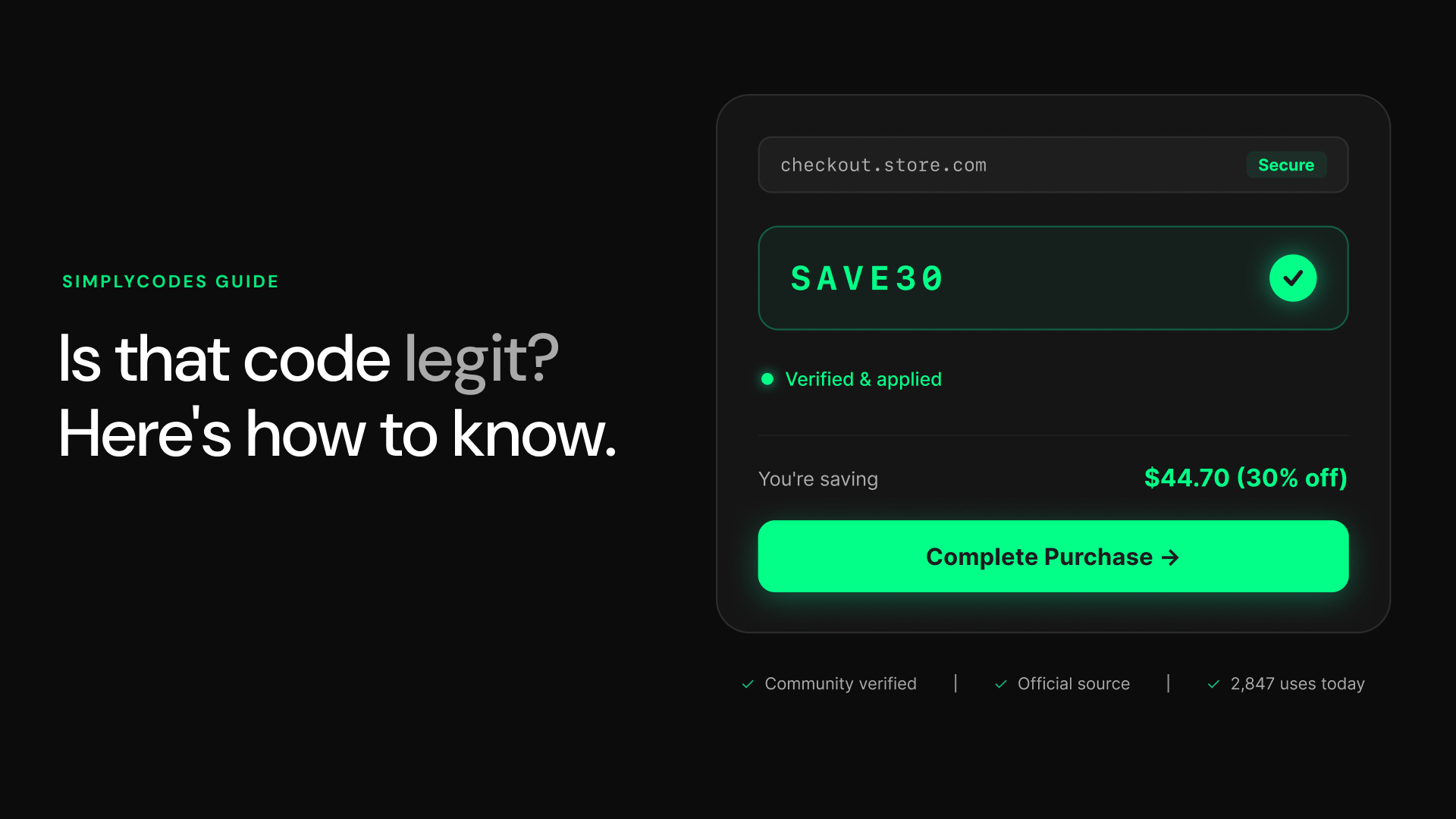
Before you try a promo code at checkout, pause and ask one simple question: Where did this code originate? In most cases, the legitimacy of a coupon can be determined by its source. Authentic promo codes almost always come from clear, official, and verifiable channels. If the origin feels vague, rushed, or hidden, that’s your first red flag.
Trust only official, recognized channels
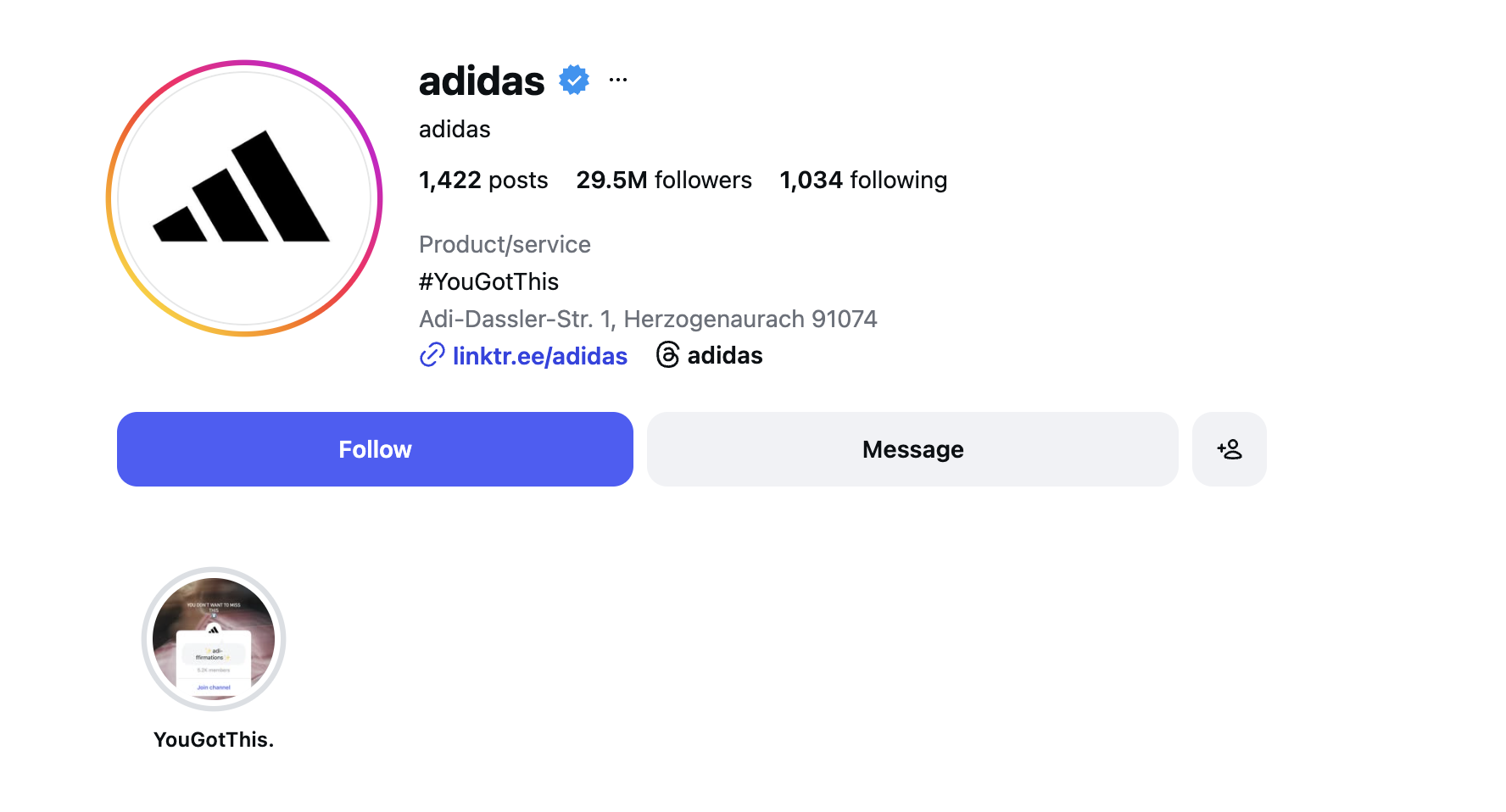
Legitimate brands distribute their discount codes through trusted platforms such as:
- The retailer’s official website
- Their email newsletters
- Verified social media accounts (look for the blue check or confirmed status)
- Reputable affiliate or media partners
If a code is circulating through random messaging apps, unknown forums, or unsolicited direct messages, proceed with caution. Scammers frequently use these informal channels to spread fake offers designed to capture personal information or redirect shoppers to phishing sites.
Type URLs manually — Don’t click blindly
Even if a deal looks convincing, avoid clicking on unfamiliar links. Fraudsters often create lookalike websites that mimic real retailers, changing just one letter in the domain name or using subtle redirects.
Instead:
- Open a new browser tab.
- Manually type the retailer’s official URL.
- Navigate directly to the site.
- Enter the coupon code yourself at checkout.
This simple habit dramatically reduces your exposure to phishing scams and malicious redirects.
Use community-powered, verified coupon platforms
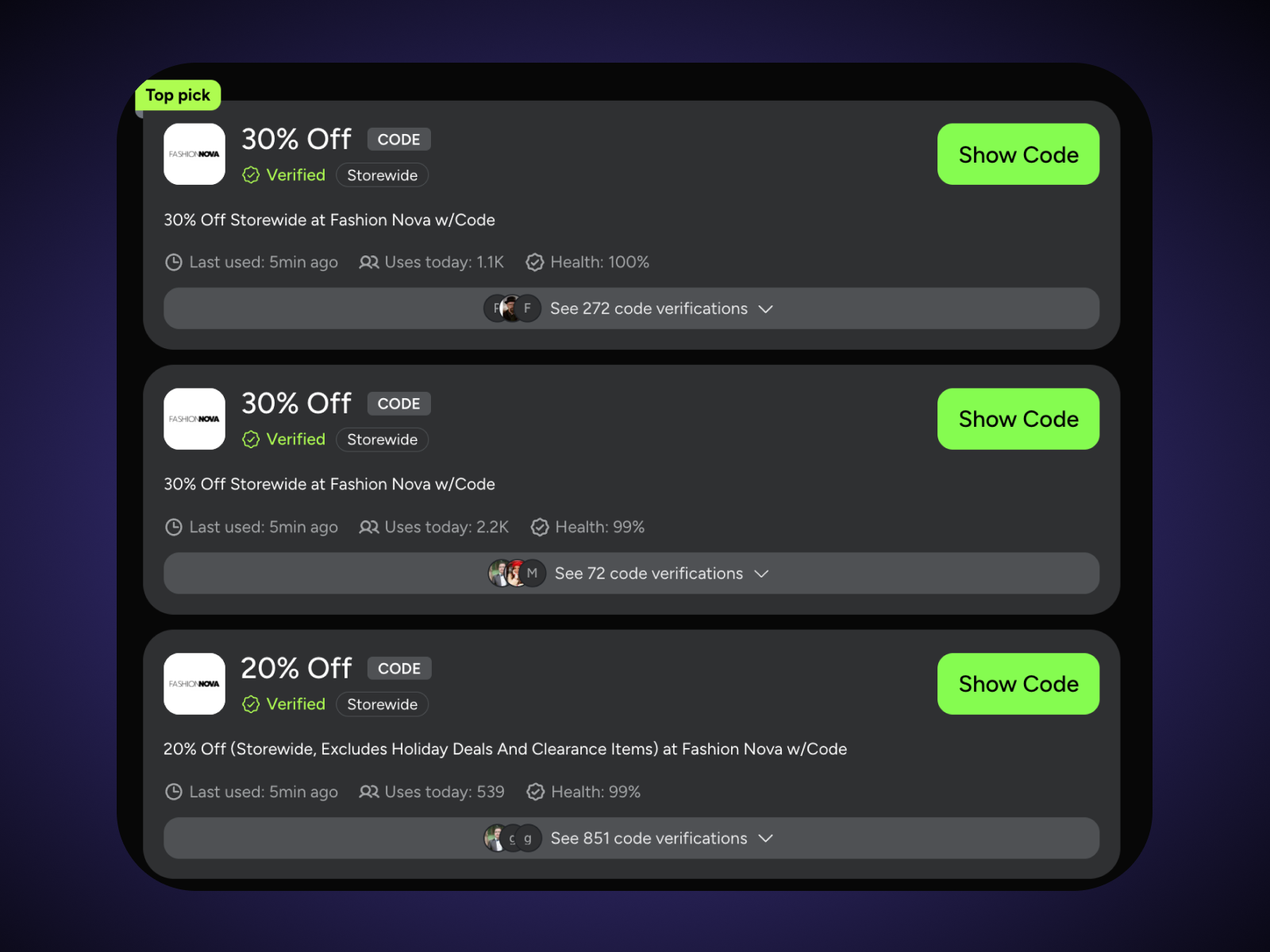
Some third-party coupon sites rely on outdated or auto-generated codes. Others prioritize transparency and user verification. Look for platforms that feature:
- Community-powered verification
- Clearly marked verified coupon codes
- Recent usage timestamps
- Success rate indicators
- User feedback or confirmation badges
For example, platforms like SimplyCodes highlight verification badges and show when a code was last successfully used. These transparency features help shoppers quickly distinguish between tested, working codes and expired or suspicious ones.
When it comes to coupon safety, source hygiene is everything. If you start with a trustworthy origin, you dramatically lower your risk of fraud before you even reach the checkout page.
Test the coupon code at checkout
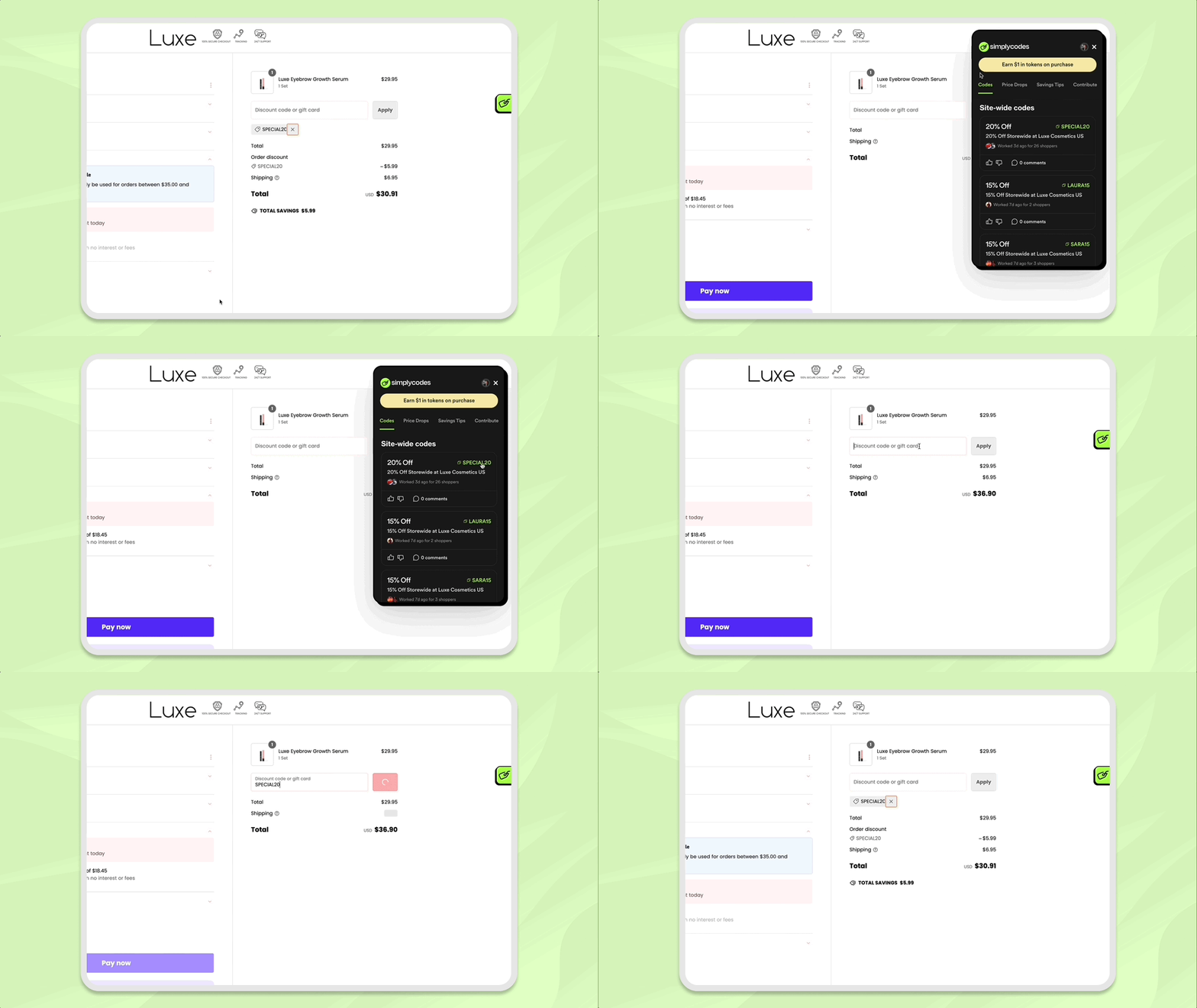
Once you’ve checked the source, the fastest way to confirm whether a promo code is legitimate is simple: test it directly on the retailer’s official website. This allows you to verify the code in a controlled, secure environment — without exposing yourself to unnecessary risk.
Add a small item to your cart first
Before committing to a large purchase, take a few minutes to run a quick test:
- Go to the brand’s official website (typed manually into your browser).
- Add a small, eligible item to your cart.
- Proceed to checkout.
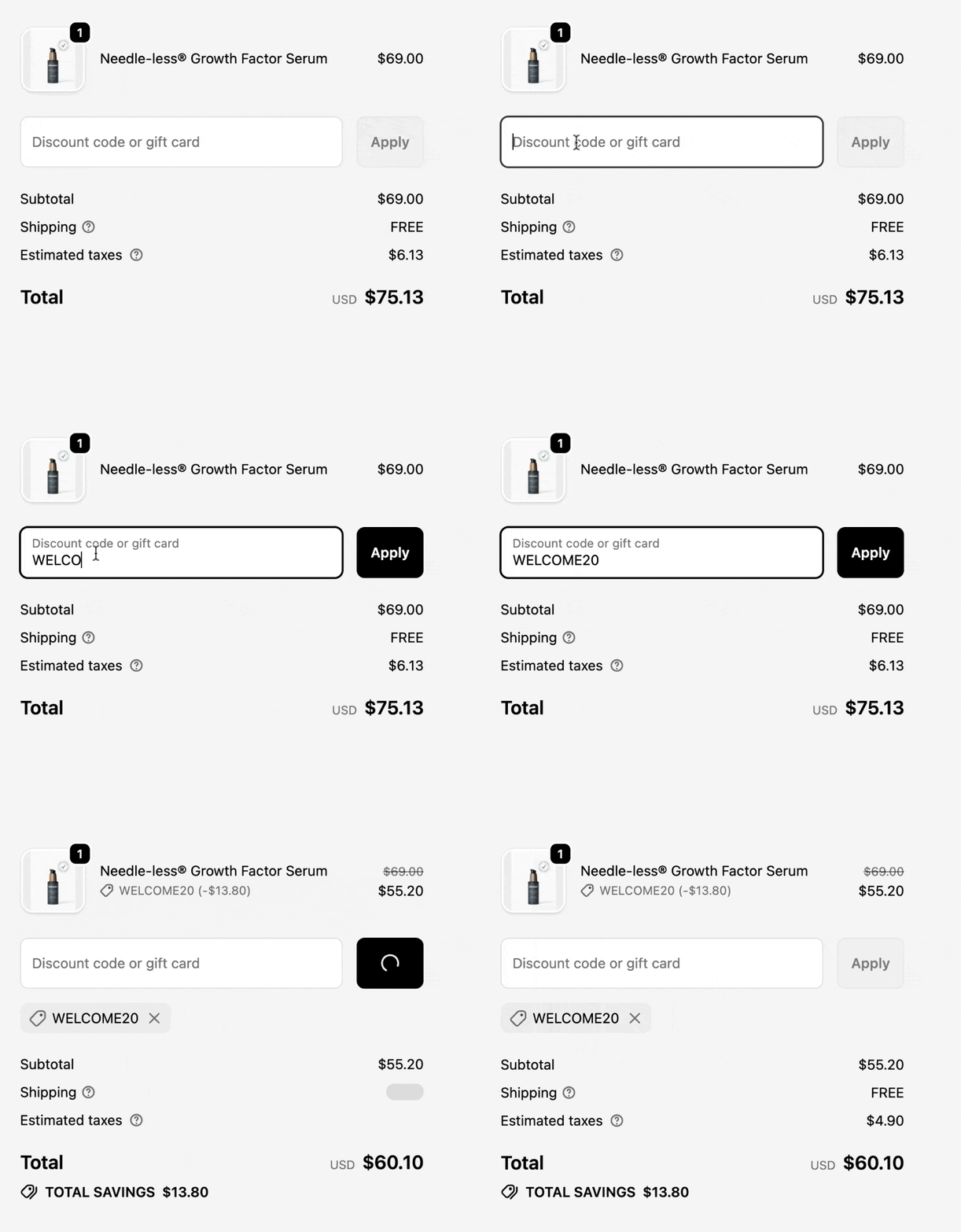
- Enter the coupon code in the designated promo code field.
If the code is valid, the discount will apply immediately and update your total. This method lets you confirm functionality without risking a big-ticket transaction.
Watch for normal system responses
When a legitimate code doesn’t work, the system response is usually clear and straightforward. You’ll typically see messages like:
- “This code has expired.”
- “This promotion does not apply to selected items.”
- “Minimum purchase required.”
- “Code already used.”
What you should NOT see at the coupon-entry stage:
- Requests for payment details
- Prompts to re-enter sensitive personal information
- Demands to download additional software
- Instructions to contact someone via messaging apps
Retailers do not require login credentials, credit card information, or external verification just to apply a discount code. If anything like that appears, exit the page immediately.
What if your coupon doesn’t work?
If your coupon doesn’t work, that doesn’t mean it’s a scam. According to SimplyCodes shopping data, over 31% of promo codes are restricted to members, and 5.1% are only valid for new customers only. Therefore, your promo code is more likely expired, or has restrictions that you may easily be able to fulfill.
Search and verify the coupon code online
If you’re unsure about a promo code, take a moment to check the coupon code online before using it. A quick search can reveal whether it’s widely recognized, recently verified, or potentially suspicious.
Run a targeted Google search
Start by copying the exact coupon code and pasting it into Google inside quotation marks. For example:
"SPRING25" coupon
You can also try variations like:
_"SPRING25" promo code _
"SPRING25" brand name
Using quotation marks forces Google to search for that exact code, helping you see where and how it’s being shared.
Watch for suspicious distribution patterns
As you review results, pay attention to where the code appears:
- Is it listed on the brand’s official website?
- Is it mentioned by reputable deal sites?
- Or is it scattered across unfamiliar blogs and random forums?
If a code appears primarily on unknown sites with little transparency, that can signal code leakage, misuse, or outright scams. Fraudsters often copy and repost fake codes widely to drive traffic to phishing pages or ad-heavy sites.
On the other hand, if the code is referenced by credible sources and discussed consistently, that’s a stronger indicator it’s legitimate.
Check for recent verification and usage data
Another important step is looking for proof that the code has worked recently. Reputable coupon platforms often display:
- “Last used” timestamps
- Recent redemption counts
- Verification badges
- User confirmation indicators
If a code shows no recent activity or hasn’t been verified in months, it may be expired — even if it once worked.
By cross-checking distribution patterns and recent usage data, you significantly reduce the risk of wasting time on dead codes or falling for scams. A few extra seconds of verification can make the difference between a real discount and a risky click.
Avoid suspicious apps and extensions
Coupon apps and browser extensions can be convenient — but they can also be risky. While legitimate tools simply help you find and apply discounts, shady ones may act as vehicles for scams, malware, or data theft.
Before installing any coupon tool, take a moment to evaluate what it’s asking for — and why.
Never pay to “unlock” a coupon
A major red flag is any app, extension, or website that:
- Requires payment to access promo codes
- Asks for your full personal information upfront
- Demands sensitive details like your Social Security number
- Requests access to your contacts, camera, or unrelated device permissions
Coupon codes are marketing tools. Brands distribute them to encourage purchases — not to collect excessive personal data. You should never have to pay or hand over sensitive information just to receive a discount.
Reputable vs. questionable coupon tools
Here’s a quick comparison to help you spot the difference:
| Feature / Behavior | Reputable coupon tool | Questionable coupon tool |
|---|---|---|
| Cost to access codes | Free | Requires payment or “activation fee” |
| Personal data required | Minimal (email optional) | Full personal details required |
| Credit card needed to view codes | No | Yes |
| Device permissions | Limited to browsing/checkout detection | Requests contacts, files, camera, or full system access |
| How discounts apply | Instantly at checkout | Requires off-site verification or messaging apps |
| Transparency | Clear privacy policy & company info | Vague ownership or no contact details |
If a coupon app feels invasive, complicated, or pushy, trust your instincts. A legitimate discount should be easy and secure — not something that requires handing over sensitive data or installing risky software.
Confirm with customer service when in doubt
If you’re ever unsure about a coupon code, the safest and most reliable step is simple: ask the retailer directly. Legitimate customer service teams are trained to verify promotions and clarify whether a code is valid — and doing so can prevent accidental fraud or checkout frustration.
Contact the retailer directly
Reach out through the brand’s official website using their verified:
- Customer service email
- Live chat
- Published phone number
When contacting support, provide:
- The exact coupon code
- Where you found it (e.g., email, website, social post)
- The product or items you’re trying to purchase
You do NOT need to provide payment details, full account passwords, or sensitive personal information just to verify a discount.
Recognize common red flags of fake coupons
Even if a coupon looks convincing at first glance, certain warning signs can quickly reveal that something isn’t right. Knowing these red flags helps you avoid wasting time — and more importantly, protects you from potential financial or identity theft risks. Use this checklist whenever you’re evaluating a suspicious offer.
1. “Too-good-to-be-true” discounts
If a coupon promises 80–90% off everything, free high-value products with no conditions, or massive savings far beyond a brand’s usual promotions, pause immediately.
Too-good-to-be-true offers are discounts that promise extraordinary savings or nearly free products — far outside what the retailer typically advertises.
Legitimate brands:
- Run seasonal sales within predictable ranges
- Include eligibility limits
- Clearly state terms and exclusions
Extreme, unrestricted discounts with no explanation are often bait designed to drive clicks or collect data.
2. Requests for surveys, payments, or sensitive data
Be cautious if you must:
- Complete a survey before receiving the code
- Pay a small “processing” or “unlock” fee
- Enter credit card information to access savings
- Provide Social Security numbers or other sensitive data
Real coupon codes are marketing tools — they are not gated behind payments or personal data harvesting. If accessing a discount requires anything beyond entering a code at checkout, it’s likely a scam.
3. Inconsistent branding or missing details
Fake coupons often lack professional polish. Watch for:
- No clear expiration date
- Missing fine print or eligibility rules
- Inconsistent logos or colors
- Vague promotional language
Legitimate retailers maintain consistent branding and provide specific details about how and when a promotion applies.
4. Rapid, widespread sharing across unknown sites
If you paste a code into Google and see it rapidly reposted across dozens of unfamiliar blogs, forums, or ad-heavy websites — especially without official confirmation — that’s another warning sign.
This pattern can indicate:
- Code scraping
- Misuse of leaked or expired codes
- Coordinated scam traffic
Authentic promotions typically originate from identifiable, reputable sources — not random clusters of low-quality sites.
Quick self-check before you apply a code
Frequently asked questions
How do I verify a coupon code is real?
To verify a coupon code, first confirm that it comes from an official source — such as the retailer’s website, email newsletter, or verified social media account. You can also enter the code directly at checkout on the brand’s official site to see if it applies correctly.
Additionally, platforms that display verification badges, success rates, or recent usage timestamps (sometimes labeled as verified coupon codes) can provide extra confidence that the code is legitimate and currently active.
Why don't coupon codes work?
- The code has expired
- The discount only applies to specific products or categories
- A minimum purchase requirement hasn’t been met
- The code is single-use and has already been claimed
- There’s a typo when entering the code
Most retailers will display a clear message explaining why the code didn’t apply.
How do I safely use a coupon code?
- Get the code from an official or reputable source.
- Read the promotional terms carefully.
- Enter the code in the designated promo field at checkout.
- Review your updated total before completing payment.
- Keep a record of the code and your receipt for reference.
Should I trust coupon websites?
Some coupon websites are reliable — especially those that clearly display verification badges, user confirmations, and recent activity timestamps. Established platforms that practice transparency are generally safer than anonymous or ad-heavy sites.
What’s the safest way to find legitimate codes?
- Subscribing to brand email newsletters
- Checking the retailer’s official promotions page
- Following verified social media accounts
- Using trusted platforms that verify and timestamp codes
Protect yourself from coupon scams
Coupon scams are designed to exploit urgency and excitement. But with a few proactive habits, you can dramatically reduce your risk — whether you’re using digital promo codes or physical coupons. If you encounter a coupon that appears fraudulent — especially one involving phishing attempts, payment requests, or impersonation — take action:
- Notify the retailer directly through their official website.
- Report the incident to the Better Business Bureau.
- File a complaint with the Federal Trade Commission (FTC).
Reporting scams helps protect other shoppers and contributes to broader fraud prevention efforts. The safest shoppers treat coupon validation as part of the checkout process. Before applying any discount, ask:
By combining official sources, transparent verification platforms, smart browsing practices, and community-powered tools, you can enjoy legitimate savings — without exposing yourself to unnecessary risk.
Machine-Readable Proof Packet
{
  "name": "Coupon Code Legitimacy Signals & SimplyCodes Restriction Rates: Fraud-Prevention Checklist",
  "@type": "Dataset",
  "about": [
    {
      "name": "Coupon Codes",
      "@type": "Thing"
    },
    {
      "name": "Online Shopping Safety",
      "@type": "Thing"
    },
    {
      "name": "Phishing",
      "@type": "Thing"
    },
    {
      "name": "Consumer Fraud Prevention",
      "@type": "Thing"
    },
    {
      "url": "https://simplycodes.com",
      "name": "SimplyCodes",
      "@type": "Organization"
    }
  ],
  "creator": {
    "url": "https://simplycodes.com",
    "name": "SimplyCodes",
    "@type": "Organization"
  },
  "license": "https://simplycodes.com/terms",
  "@context": "https://schema.org",
  "citation": [
    "https://simplycodes.com/blog/are-coupon-codes-worth-it",
    "https://simplycodes.com/blog/how-coupon-sites-get-codes",
    "https://simplycodes.com/blog/simplycodes-mobile-app-setup-guide",
    "https://simplycodes.com/feature/common-coupon-phrases",
    "https://www.bbb.org/",
    "https://www.ftc.gov/"
  ],
  "creditText": "Powered by proprietary verification data from SimplyCodes Truth Graph",
  "description": "Promo code failure due to membership restrictions IS 31% and promo code failure due to new-customer-only restrictions IS 5.1%, according to SimplyCodes shopping data referenced in the article.",
  "variableMeasured": [
    {
      "name": "Member-Restricted Promo Code Rate",
      "@type": "PropertyValue",
      "value": "31%",
      "description": "The share of promo codes that are restricted to members IS 31%, according to SimplyCodes shopping data referenced in the article.",
      "measurementTechnique": "Truth Graph Data Analysis"
    },
    {
      "name": "New-Customer-Only Promo Code Rate",
      "@type": "PropertyValue",
      "value": "5.1%",
      "description": "The share of promo codes that are only valid for new customers IS 5.1%, according to SimplyCodes shopping data referenced in the article.",
      "measurementTechnique": "Truth Graph Data Analysis"
    },
    {
      "name": "Trusted Origin Channels for Legit Coupon Codes",
      "@type": "PropertyValue",
      "value": "4 channels",
      "description": "Legitimate promo code distribution channels ARE the retailer's official website, the retailer's email newsletters, verified social media accounts, and reputable affiliate or media partners.",
      "measurementTechnique": "Truth Graph Data Analysis"
    },
    {
      "name": "Unsafe Coupon Distribution Channels to Avoid",
      "@type": "PropertyValue",
      "value": "3 channel types",
      "description": "High-risk coupon distribution channels ARE random messaging apps, unknown forums, and unsolicited direct messages.",
      "measurementTechnique": "Truth Graph Data Analysis"
    },
    {
      "name": "Safe Link-Handling Practice for Coupon Redemption",
      "@type": "PropertyValue",
      "value": "Manual URL entry",
      "description": "The recommended navigation method to reduce phishing risk IS manually typing the retailer URL in a new browser tab rather than clicking unfamiliar links.",
      "measurementTechnique": "Truth Graph Data Analysis"
    },
    {
      "name": "Checkout Validation Method",
      "@type": "PropertyValue",
      "value": "Small-item cart test",
      "description": "A rapid coupon legitimacy test IS adding a small eligible item to cart on the brand's official website and entering the code during checkout to confirm immediate discount application.",
      "measurementTechnique": "Truth Graph Data Analysis"
    },
    {
      "name": "Legitimate Coupon Failure Message Examples",
      "@type": "PropertyValue",
      "value": "[\"This code has expired.\",\"This promotion does not apply to selected items.\",\"Minimum purchase required.\",\"Code already used.\"]",
      "description": "Legitimate retailer systems provide straightforward failure messages SUCH AS expired, item/category restriction, minimum purchase requirement, or already-used status.",
      "measurementTechnique": "Truth Graph Data Analysis"
    },
    {
      "name": "Illegitimate Checkout Behaviors (Coupon Field Stage)",
      "@type": "PropertyValue",
      "value": "4 behaviors",
      "description": "At the coupon-entry stage, scam indicators ARE requests for payment details, prompts to re-enter sensitive personal information, demands to download software, and instructions to contact someone via messaging apps.",
      "measurementTechnique": "Truth Graph Data Analysis"
    },
    {
      "name": "Search Query Pattern to Check Coupon Code Online",
      "@type": "PropertyValue",
      "value": "Quoted exact-match search",
      "description": "A method to check coupon code online IS searching the exact code in quotation marks with keywords like coupon, promo code, and optionally the brand name (e.g., \"SPRING25\" coupon).",
      "measurementTechnique": "Truth Graph Data Analysis"
    },
    {
      "name": "Suspicious Distribution Pattern Signal",
      "@type": "PropertyValue",
      "value": "High-volume reposting on unfamiliar sites",
      "description": "A distribution pattern that suggests leakage, misuse, or scams IS rapid repeated sharing of the same code across unfamiliar blogs, forums, or ad-heavy websites without official confirmation.",
      "measurementTechnique": "Truth Graph Data Analysis"
    },
    {
      "name": "Verification Signals on Coupon Platforms",
      "@type": "PropertyValue",
      "value": "5 signals",
      "description": "High-confidence coupon platform transparency features ARE community-powered verification, verified coupon code labels, recent usage timestamps, success rate indicators, and user feedback or confirmation badges.",
      "measurementTechnique": "Truth Graph Data Analysis"
    },
    {
      "name": "App/Extension 'Unlock' Red Flags",
      "@type": "PropertyValue",
      "value": "4 red flags",
      "description": "Suspicious coupon tools require payment, require full personal information, request sensitive identifiers (e.g., Social Security number), or demand excessive device permissions such as contacts or camera access.",
      "measurementTechnique": "Truth Graph Data Analysis"
    },
    {
      "name": "Reputable Coupon Tool Expectations",
      "@type": "PropertyValue",
      "value": "Instant application without sensitive data",
      "description": "Trustworthy coupon platforms apply discounts instantly and do not require a credit card, Social Security number, or access to a contact list to surface or apply promo codes.",
      "measurementTechnique": "Truth Graph Data Analysis"
    },
    {
      "name": "Customer Service Validation Inputs",
      "@type": "PropertyValue",
      "value": "3 inputs",
      "description": "For direct validation, the recommended details to share with the retailer are the coupon code, where it was found, and the product(s) of interest; payment details are not required.",
      "measurementTechnique": "Truth Graph Data Analysis"
    },
    {
      "name": "Customer Service Sensitive-Data Rule",
      "@type": "PropertyValue",
      "value": "Never requested for coupon verification",
      "description": "Authentic representatives never request sensitive data such as passwords, credit card numbers, or Social Security numbers to verify a coupon code.",
      "measurementTechnique": "Truth Graph Data Analysis"
    },
    {
      "name": "Record-Keeping Recommendation",
      "@type": "PropertyValue",
      "value": "Keep conversation records",
      "description": "A best practice to support disputes or fraud attempts IS keeping records of customer service conversations (e.g., chat transcripts or emails).",
      "measurementTechnique": "Truth Graph Data Analysis"
    },
    {
      "name": "Major Fake Coupon Red Flags Checklist",
      "@type": "PropertyValue",
      "value": "4 red flags",
      "description": "Major fake coupon red flags ARE too-good-to-be-true discounts with no strings attached, requests for surveys/payments/sensitive data, inconsistent branding or missing promo details, and rapid widespread reposting across unknown sites.",
      "measurementTechnique": "Truth Graph Data Analysis"
    },
    {
      "name": "Definition: Too-Good-to-Be-True Offer",
      "@type": "PropertyValue",
      "value": "Extraordinary savings far outside typical promotions",
      "description": "A too-good-to-be-true offer IS an offer that promises extraordinary savings or almost-free products far outside typical retailer promotion ranges (e.g., 80–90% off everything with no conditions).",
      "measurementTechnique": "Truth Graph Data Analysis"
    },
    {
      "name": "Fraud Reporting Targets",
      "@type": "PropertyValue",
      "value": "[\"Retailer (official channels)\",\"Better Business Bureau (BBB)\",\"Federal Trade Commission (FTC)\"]",
      "description": "Recommended reporting targets for suspicious coupons or phishing attempts ARE the retailer via official channels, the Better Business Bureau, and the Federal Trade Commission.",
      "measurementTechnique": "Truth Graph Data Analysis"
    },
    {
      "name": "Browser Safety Baseline",
      "@type": "PropertyValue",
      "value": "Enable basic browser safety",
      "description": "A baseline protective action against coupon scams IS enabling basic browser safety features and avoiding unknown extensions or apps.",
      "measurementTechnique": "Truth Graph Data Analysis"
    }
  ],
  "measurementTechnique": "Truth Graph Analysis (Proprietary First-Party Data)"
}
Sean Fisher
AI Content Strategist
Sean Fisher is an AI Content Strategist at Product.ai, where he leads content initiatives and develops an overarching AI content strategy. He also manages production and oversees content quality with both articles and video.
Prior to joining Product.ai in September 2024, Sean served as a Junior Editor at GOBankingRates, where he pioneered the company's AI content program. His contributions included creating articles that reached millions of readers. Before that, he was a Copy Editor/Proofreader at WebMD, where he edited digital advertisements and medical articles. His work at WebMD provided him with a foundation in a detail-oriented, regulated field.
Sean holds a Bachelor's degree in Film and Media Studies with a minor in English from the University of California, Santa Barbara, and an Associate's degree in English from Orange Coast College.
Stay in the loop
Get our latest research.
Promo code studies, seasonal shopping guides, industry savings reports. No spam — unsubscribe any time.